Knowledge, documents and imports
Home · Knowledge, documents and imports
Goal
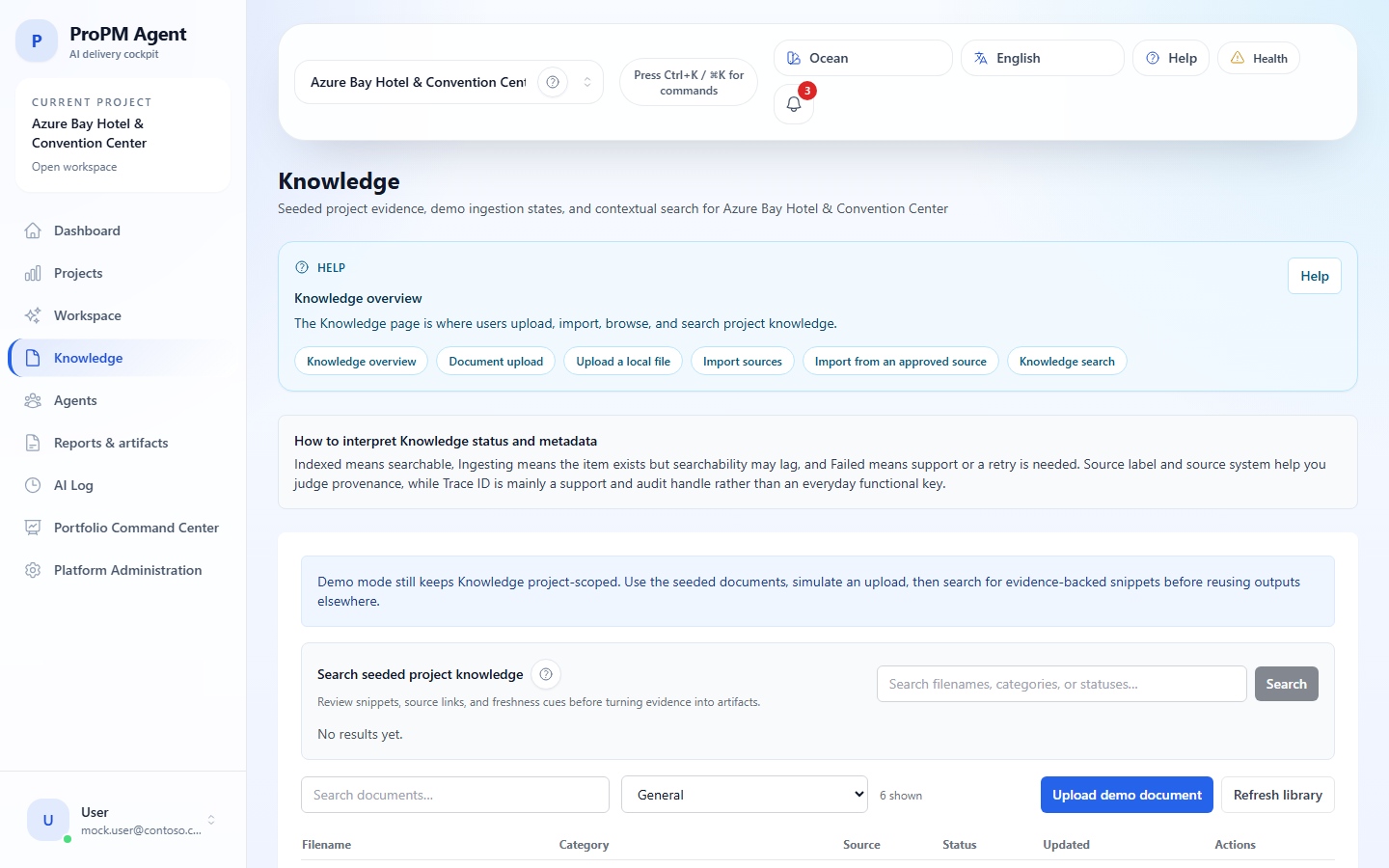
This page explains how to add project knowledge, verify indexing, import from an approved source and read search results with citations.
Upload a document
- Open Knowledge.
- Select Upload.
- Choose the file.
- Enter the category or metadata requested by the UI.
- Start the upload.
- Verify that the document appears in the list.
- Wait for Indexed before using it as evidence.
Import from an approved source
- Open Knowledge.
- Select the import action if available.
- Choose the approved source.
- Select the scope proposed by the UI.
- Start the import.
- Open import history to review imported, skipped and failed items.
Statuses
| Status | Meaning | Action |
|---|---|---|
| Indexed | Ready for search and agents | Use the document |
| Ingesting | Processing is still running | Wait and refresh |
| Failed | Processing failed | Check format/source and contact support if needed |
| Not visible | Wrong project, filter or permission | Check active project and filters |
Search evidence
- Open Knowledge.
- Enter a business term, question or document identifier.
- Filter by category, source or freshness if available.
- Open a relevant result.
- Read snippet, citation, score, source label and source system when shown.