Agents
Home · Agents
Goal
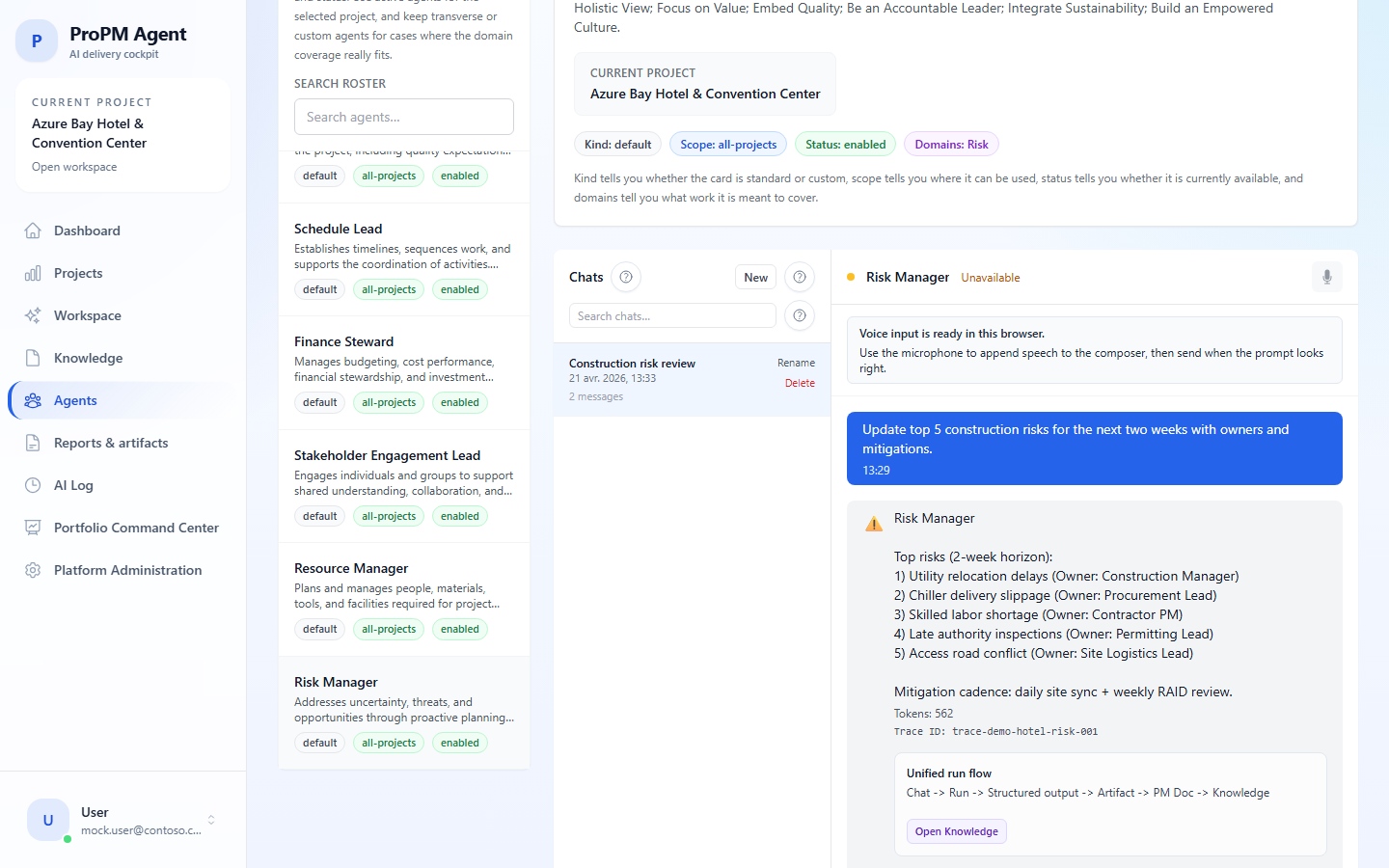
This page explains how to choose an agent, run it, understand local sessions and create a custom agent when your role allows it.
Standard agents
| Need | Agent |
|---|---|
| Cross-functional analysis | Orchestrator |
| Decisions, policies or approvals | Governance |
| Scope, deliverables and requirements | Scope |
| Schedule, milestones and dependencies | Schedule |
| Budget, cost and variance | Finance |
| Communication and stakeholders | Stakeholders |
| Capacity and resources | Resources |
| Risks, issues and responses | Risk |
Run an agent
- Open Agents.
- Verify the active project.
- Select the agent.
- Write a precise prompt with objective, context and expected format.
- Attach or reference documents if the UI supports it.
- Start the run.
- Read the answer, citations, freshness and confidence.
- Open AI Log if you need to audit the execution.
Custom agents
- Open Agents.
- Select the custom-agent creation action if available.
- Name the agent and describe its business purpose.
- Choose project scope or All projects when allowed.
- Save and run a simple test.
- Delete or disable the agent when it should no longer be used.
Important notes
- An agent response is not automatically a final PM Document.
- Browser-local chat sessions are not a central shared archive.
- Voice input is a convenience feature and depends on the browser.